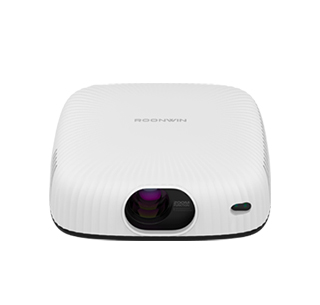
Projector image overexposure refers to the phenomenon that the projected picture is too bright, with lost highlight details, white and blurred screens, faded colors, and unclear text and image layers, which seriously affects viewing and presentation effects. This problem is very common in daily use, caused by unreasonable parameter settings, inappropriate ambient light, aging equipment or wrong projection modes. Most overexposure problems can be solved through simple manual debugging without professional maintenance, and users can complete adjustments according to actual use environments.
The first and most effective solution is to adjust the projector’s built-in image parameters. Enter the projector’s system settings interface, find the image adjustment options including brightness, contrast, saturation and gamma value. Excessively high brightness is the core cause of overexposure, so users can appropriately reduce the brightness value by 10%-30% according to the screen condition. Then moderately lower the contrast, because too high contrast will amplify the bright area of the picture and cause local overexposure. Adjusting the gamma value to the middle default level can balance the light and dark layers of the picture, restore the lost highlight details, and make the picture color more natural and layered.
Optimizing the use environment and projection mode can also significantly improve overexposure. Strong ambient light is an important external factor leading to screen overexposure. When the indoor light is too bright, the projector will automatically increase the brightness to adapt to the environment, resulting in overexposure. Users can turn off indoor strong lights, pull up light-blocking curtains, and reduce ambient light interference. In addition, switch the projector’s image mode: the “Bright Mode” and “Presentation Mode” have high default brightness, which is easy to cause overexposure. Switching to “Movie Mode” or “Eco Mode” can reduce the overall brightness of the machine and optimize the picture light and dark balance.
If the above methods are ineffective, check the equipment hardware status. Long-term high-brightness operation will cause the projector bulb to age abnormally, resulting in unstable light output and local overexposure. At this time, users can turn on the bulb eco-mode to reduce bulb power consumption. If the overexposure problem still exists after parameter adjustment and environment optimization, it may be caused by lens dust accumulation or internal light path failure, and regular lens cleaning or professional after-sales maintenance is required.
Read recommendations:
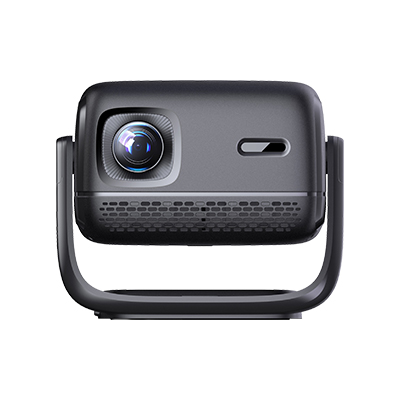
HN30B Portable - HN Series Projector
Main Indicators of Projectors
Zoom Function of Projectors















 Reviewed: