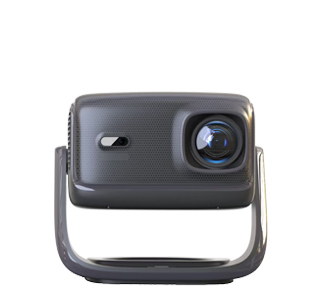
Wide-screen aspect ratio projectors are projection devices optimized for displaying content with wide aspect ratios—typically 16:9 (standard wide-screen), 21:9 (ultra-wide), or 16:10 (widescreen for computing)—instead of the older 4:3 (square) ratio. Unlike 4:3 projectors (designed for legacy content like old TV shows or PowerPoint slides), wide-screen models are tailored to modern content: movies (most Hollywood films use 1.85:1 or 2.39:1, which fit within 16:9 or 21:9), streaming videos (Netflix, YouTube, all in 16:9), and computer displays (16:10 is common for laptops and design software). These projectors ensure content is displayed without black bars (or with minimal bars) on wide-screen screens, maximizing the viewing area and immersion—critical for home theaters, gaming setups, or design studios.
Core characteristics of wide-screen aspect ratio projectors include:
Native wide-screen resolution: The projector’s native resolution is optimized for wide ratios—e.g., 1920×1080 (16:9, Full HD), 3840×2160 (4K UHD, 16:9), 2560×1080 (21:9, Ultra-Wide Full HD), or 1920×1200 (16:10, WUXGA). Native resolution ensures no pixel stretching (unlike projectors that “fake” wide-screen by cropping 4:3 content), preserving image sharpness. For example, a 21:9 native projector displays a 2.39:1 movie with no top/bottom bars, while a 16:9 projector would show small bars (letterboxing) to fit the wider film ratio.
Aspect ratio flexibility: Most wide-screen projectors offer manual or automatic aspect ratio switching—allowing users to toggle between 16:9, 4:3, and 21:9 (if supported) based on content. For example, when playing a 4:3 PowerPoint presentation on a 16:9 projector, the device can either display the content in its original ratio (with side bars) or stretch it to fill the screen (though stretching may distort the image). Advanced models use “pixel shifting” or “content scaling” to optimize non-native ratios—e.g., a 4K 16:9 projector can scale 21:9 content to fit the screen without losing critical details.
Screen compatibility: Wide-screen projectors are designed to work with wide-screen screens—16:9 screens (the most common, used in home theaters and conference rooms), 21:9 ultra-wide screens (for gaming or cinematic home setups), or 16:10 screens (for design studios or classrooms). The projector’s throw ratio is calibrated to these screen sizes—e.g., a 16:9 projector with a 1.2:1 throw ratio needs 104 inches of distance to fill a 100-inch 16:9 screen (width ~87 inches), while a 21:9 projector with the same throw ratio needs 120 inches to fill a 100-inch 21:9 screen (width ~92 inches).
Content optimization: For specific wide-screen uses, projectors include specialized features. Gaming projectors (often 16:9 or 21:9) have low input lag (<20ms) and high refresh rates (120Hz+) to handle fast-paced games without motion blur. Design projectors (16:10) have color accuracy calibrated to design software (e.g., Adobe RGB) to ensure on-screen colors match printed outputs. Home theater projectors (16:9 or 21:9) support HDR (High Dynamic Range) and wide color gamuts (DCI-P3) to deliver cinema-like contrast and vibrancy.
Key applications of wide-screen aspect ratio projectors:
Home theaters: 16:9 4K projectors paired with 100-120 inch screens deliver immersive movie experiences, with HDR support making dark scenes deeper and bright scenes more vivid. Ultra-wide 21:9 projectors are ideal for cinephiles who want to watch ultra-wide films without letterboxing.
Gaming: 16:9 projectors with 4K resolution and 120Hz refresh rates provide large, smooth gaming displays—perfect for playing open-world games or competitive shooters where peripheral vision matters.
Design studios: 16:10 projectors with Adobe RGB color coverage let designers view large layouts (e.g., posters, websites) in full detail, with enough screen width to display toolbars and content side-by-side.
Conference rooms: 16:9 projectors display wide-screen video conferences, data visualizations, or training videos—maximizing the amount of information visible on screen at once.
When selecting a wide-screen projector, consider the primary content type (e.g., movies vs. games) to choose the right ratio—16:9 is the most versatile, while 21:9 is best for ultra-wide content. With their alignment to modern content, these projectors ensure users get the most out of their visual media, avoiding the frustration of black bars or distorted images.
Read recommendations:
HW45 Home Cinema - HW Series Projector
Low Latency 1080P Gaming Projector - 10ms Response Time for Console Games
Projectors with Vivid Colors











 Reviewed: