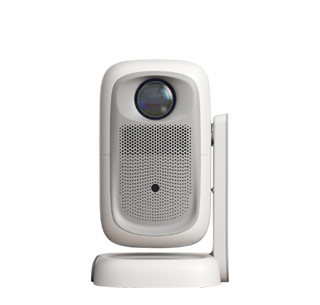
Projector dark corners refer to the abnormal phenomenon that the four corners or edges of the projected picture are significantly darker than the middle area, while the middle picture is normal, which reduces the overall uniformity of the picture and affects the viewing experience and projection aesthetics. This fault is divided into software setting problems and hardware equipment problems. Most minor dark corner problems are caused by improper parameter debugging and placement deviation, which can be eliminated by manual adjustment, while serious dark corners are caused by hardware aging and failure, which needs professional repair.
First, correct the projector placement and projection angle to eliminate light leakage and offset dark corners. When the projector is not placed horizontally, or the projection angle is inclined, the light path will be deviated, resulting in insufficient light irradiation at the corners of the screen and forming dark corners. Users need to place the projector on a horizontal stable desktop or bracket to ensure that the lens is facing the center of the projection screen vertically, avoid left-right tilt and front-back height difference. At the same time, adjust the projection distance to the optimal range specified by the product, avoid too long or too short projection distance leading to uneven light distribution.
Optimize the projector’s image correction and parameter settings to improve local dark corners. Enter the projector’s keystone correction function interface. Excessive manual keystone correction will compress the edge light area, resulting in dark corners and blurred edges. Reset the keystone correction to the default automatic correction state to restore the original light path projection effect. In addition, appropriately increase the overall brightness and fill light value of the picture, adjust the local contrast balance, and turn off the energy-saving dimming function that causes uneven light and dark. Some projectors have a “screen uniformity” adjustment option, which can be turned on to automatically optimize the brightness of the four corners of the screen.
Solve hardware-induced dark corner problems through cleaning and maintenance. Long-term use of the projector will cause dust accumulation on the lens, light bulb and internal light path components. The dust blocking the edge light path will lead to insufficient light output at the screen corners and form fixed dark corners. Users can gently wipe the projector lens with a professional lens cleaning cloth to remove surface dust and stains. If the dark corner problem still exists after cleaning, it may be caused by aging bulb light decay, damaged light guide plate or uneven light path assembly, which belongs to internal hardware failure and needs to be inspected and repaired by professional maintenance personnel to replace damaged parts and restore picture uniformity.
Read recommendations:
HW30 Home Cinema - HW Series Projector
Low Noise Projectors
Projector Low Blue Light















 Reviewed: