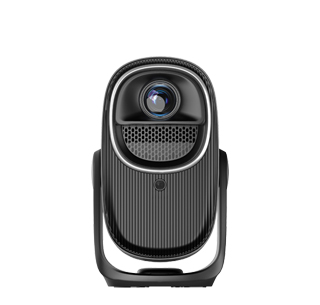
All mainstream projectors on the market can perfectly connect to TV set-top boxes, including cable TV set-top boxes, network TV boxes, and broadband custom set-top boxes. The connection principle of projectors and set-top boxes is exactly the same as that of TVs and set-top boxes, because both projectors and TVs belong to video display terminals. Connecting a set-top box to the projector can enable the projector to watch real-time live TV channels, cable TV programs, and exclusive on-demand content of set-top boxes, making up for the lack of some live TV resources of smart projectors, and greatly enriching the projector’s viewing content.
The most common and stable connection method is wired HDMI connection, which is suitable for almost all projectors and set-top boxes. Prepare a standard HDMI cable, insert one end into the HDMI output interface of the TV set-top box, and insert the other end into the HDMI input interface of the projector. After the physical connection is completed, turn on the projector and the set-top box in turn, then use the projector’s remote control to switch the signal source to the corresponding HDMI channel. Within a few seconds, the projector can synchronously display the set-top box’s TV picture. This wired connection features stable signal, no delay, high-definition picture transmission, and supports 4K ultra-high-definition video output, which is the first choice for daily viewing.
In addition to wired connection, wireless connection is also available for smart devices. If both the projector and the set-top box support wireless projection and screen mirroring functions, users can connect the two devices under the same Wi-Fi network to realize wireless signal transmission without cable constraints. However, wireless connection is slightly less stable than wired connection, and occasional picture stuttering or delay may occur when watching high-definition live programs. Therefore, wireless connection is more suitable for temporary use, while wired HDMI connection is recommended for long-term fixed viewing.
Some users may encounter connection failure problems, which can be solved by simple troubleshooting. First, confirm that the signal source channel of the projector is correctly switched, and do not stay in the screen casting or local playback mode. Secondly, check whether the HDMI cable is damaged or the interface is loose, and replace the cable in time if it is faulty. Finally, restart the set-top box and projector simultaneously to eliminate system program errors. After successful connection, the projector can completely replace the TV to watch all set-top box programs, bringing a large-screen TV viewing experience.
Read recommendations:
HW30 Home Cinema - HW Series Projector
Wireless Screen Projection Projectors for Institutional Teaching and Training
Diffuse Reflection Eye Protection Projector










 Reviewed: